

OpenAI Dots are always-on agents that can carry work across connected tools. For a B2B team running a Webflow site, their immediate promise is to coordinate research, drafts and reviews. A direct Dot-to-Webflow workflow still needs to be tested in the team’s account.
Key Takeaways
- OpenAI introduced Dots on 29 September 2026 as always-on agents with their own cloud computer, connected apps and the ability to work across multiple tasks.
- Webflow already has a documented integration with ChatGPT and Codex for site audits, CMS work and pre-publish custom-code checks. OpenAI has not yet documented a Dot-specific Webflow workflow.
- The best early use for a SaaS marketing team is preparation and coordination: finding gaps, drafting changes and bringing decisions to an owner.
- Keep publishing, positioning, customer claims and major design decisions behind human review. Webflow’s CMS can hold changes in draft while the live page stays up.
- Start with one bounded workflow and measure whether it removes a real bottleneck before expanding access.
A launch date moves forward. The product team changes the feature name, sales has already sent the old deck, and the website still promises a capability that will not ship until next quarter. Nobody owns the full chain of changes because each piece of it lives in a different tool. The site is only one part of the problem, but it is the part buyers can see.
OpenAI’s announcement of Dots points at this kind of work. A Dot is an agent you can brief on your goals and standards, then ask to carry a project forward across tasks and connected apps. It can return with completed work and questions that need a decision. That sounds appealing for a small SaaS marketing team with a fast-changing Webflow site. It also invites a bad assumption: that giving an agent access to your tools means it can safely run your website for you. The useful model is more deliberate.
What did OpenAI actually announce?
Dots are powered by GPT-6 Astra and have their own cloud computer and browser. OpenAI says they can work on several projects, connect through its plugin ecosystem, and learn from feedback over time. You can speak with your Dot in ChatGPT or reach it through Slack and Teams. OpenAI’s examples include a Dot revising launch materials after a product change and another preparing content from an interview transcript. Those are OpenAI examples, not evidence that a Dot has already improved a Webflow site.
There is an important difference between background discovery and action. OpenAI says a Dot’s proactive research uses connected apps in a read-only mode; it cannot silently change content or send messages through that mode. When you give it an active task, rules, permissions and action review govern what it can do independently and what needs approval. OpenAI also says Dots can make mistakes, so consequential work needs checking.
Dots were one part of a wider DevDay 2026 announcement that also covered Codex in the cloud, computer use in the Agents API and new plugin features. Those launches create more ways to move work between tools, but they are separate capabilities. For a Webflow team, the useful question is still which connection is documented, what it can change and who reviews the result.
As of 29 September 2026, OpenAI’s setup guide says Dots are gradually rolling out to Pro users outside the European Economic Area, Switzerland and the UK. Business Premium users can access them across supported ChatGPT regions, while Enterprise users can try the beta when an admin enables it; the beta is off by default. This matters for UK and European marketing teams. A first Dot is included on eligible Pro and Business Premium plans. OpenAI says Dot usage will not count toward eligible plan allowances during the next month of the launch period; check the live terms before designing a process around access your team may not yet have.
Can OpenAI Dots work with Webflow?
Short answer: Webflow supports site work through ChatGPT and Codex, but neither company’s public launch material confirms a Dot directly using Webflow. A practical approach is to have a Dot prepare the brief and proposed changes, then use Webflow’s separately documented ChatGPT or Codex integration for the approved site task.
Webflow announced its integration with ChatGPT and Codex in August 2026. With access to a connected Webflow workspace, its built-in Skills can use context from a real site to audit SEO and accessibility, manage CMS content and review custom code before publication. That is a concrete capability. It is separate from OpenAI’s Dots announcement, which does not show a Dot directly operating Webflow.
Here is the boundary between the confirmed Dot capabilities and the confirmed Webflow integration:
| Path | Confirmed role and limit |
|---|---|
| A Dot across connected tools | Research, drafting and approvals are documented. Direct Webflow action is not. |
| ChatGPT or Codex with Webflow | Site audits, CMS work and pre-publish custom-code review are documented, subject to workspace permissions. |
| A Dot directly editing Webflow | Neither cited launch announcement demonstrates this path. Test it in the team's account before promising it. |
A direct Dot-to-Webflow workflow may become useful where the required app access is supported and granted, but it should be verified in your workspace before anyone promises it as a standard feature.
The difference matters because a marketing website is a system, not a document. A new product claim might affect the homepage, a use-case page, the navigation and several CMS entries. An agent can help locate and prepare those edits. Someone still needs to decide whether the claim is true, whether the information architecture makes sense and whether the design helps a buyer understand it.
The site itself needs to be suitable for that pace of change. We make the case, with the limits, in our 2026 assessment of Webflow for marketing websites.
Four useful workflows for a Webflow marketing team
The examples below are hypothetical operating patterns, not results from a Quarter Digital or OpenAI client project.
1. Keep a product launch consistent
Imagine a Series A team changes a release from “automated reporting” to “assisted reporting” shortly before launch. A Dot could compare the approved product brief with connected launch documents and identify every draft that still uses the old promise. It could prepare revised copy for the homepage, feature page, release article, email and sales handout, then show the differences to the product marketing owner.
Once the wording is approved, the team could use Webflow’s ChatGPT or Codex integration to make the site-specific changes. The Dot’s value is the cross-channel context and preparation; the human decision is whether the new wording accurately describes the shipped product. An editor should inspect the rendered page before publishing, because even accurate copy can break a layout or bury the primary call to action.
The Webflow designer has a distinct job in that review. They check whether the longer feature name wraps cleanly on mobile, whether the new proof block still fits the reusable component, and whether the primary call to action remains obvious at each breakpoint. Those decisions cannot be settled by a copy diff.
2. Turn approved expertise into structured CMS content
A founder interview or webinar often produces one good transcript and six half-started content ideas. A Dot could extract the strongest questions, compare them with existing articles to avoid duplication, and propose a new post, FAQ and social summary in the company’s established voice. It could flag unsupported claims and mark where a customer quote needs permission.
For a Webflow site with well-structured CMS collections, that draft can become a staged article with the appropriate fields, links and image brief. Webflow’s CMS publishing model separates staged from live content, so a team can review a draft without changing the public page. The model does not rescue a weak content architecture: if every article requires improvised fields and manual layout fixes, the first job is to repair the system.
We saw the value of that underlying site work in our Webflow rebuild for Delve, which needed a brand and website built for trust and scale. The Dot-assisted publishing pattern described here is a proposed next step, not a claim that Dots were part of that project.
3. Make site quality checks less sporadic
Most B2B SaaS sites do not fail in one dramatic moment. They gather small problems: an obsolete integration description, a broken proof link, missing alt text or a title that no longer matches the page. Webflow’s ChatGPT and Codex integration already documents SEO and accessibility audits, alongside CMS work and custom-code review. A Dot could keep a running list of relevant changes across the team’s connected materials, prepare an audit brief, and surface the issues that matter most to current campaigns.
The output should be a prioritised work queue, not an automatic bulk rewrite. A broken link can usually be fixed quickly. Rewriting five solution pages because an agent thinks the keyword density is low can do more harm than good. As we argue in our SaaS SEO guide, organic growth depends on page architecture and publishing capacity as much as article volume.
4. Feed buyer questions back into the site
Suppose sales hears the same implementation concern in ten calls. With access to approved notes, a Dot could group the questions, compare them with current Webflow pages and show where the answer is missing or hard to find. It might draft a clearer implementation section or propose a new evaluation page. The sales lead should verify that the pattern is real; product and legal owners should check any commitments.
This is where web design becomes a business decision. The answer may belong on a product page, in a security centre or in the sales process rather than in a new blog post. At Seed, the right move may be one clearer paragraph. At Series B, it may require a reusable page type. Our guide to websites from Seed to Series C explains why the site’s job changes as the company grows.
A practical pilot: one page, one owner, one review gate
Start with a contained task: for example, a review of one product page after an approved positioning change.
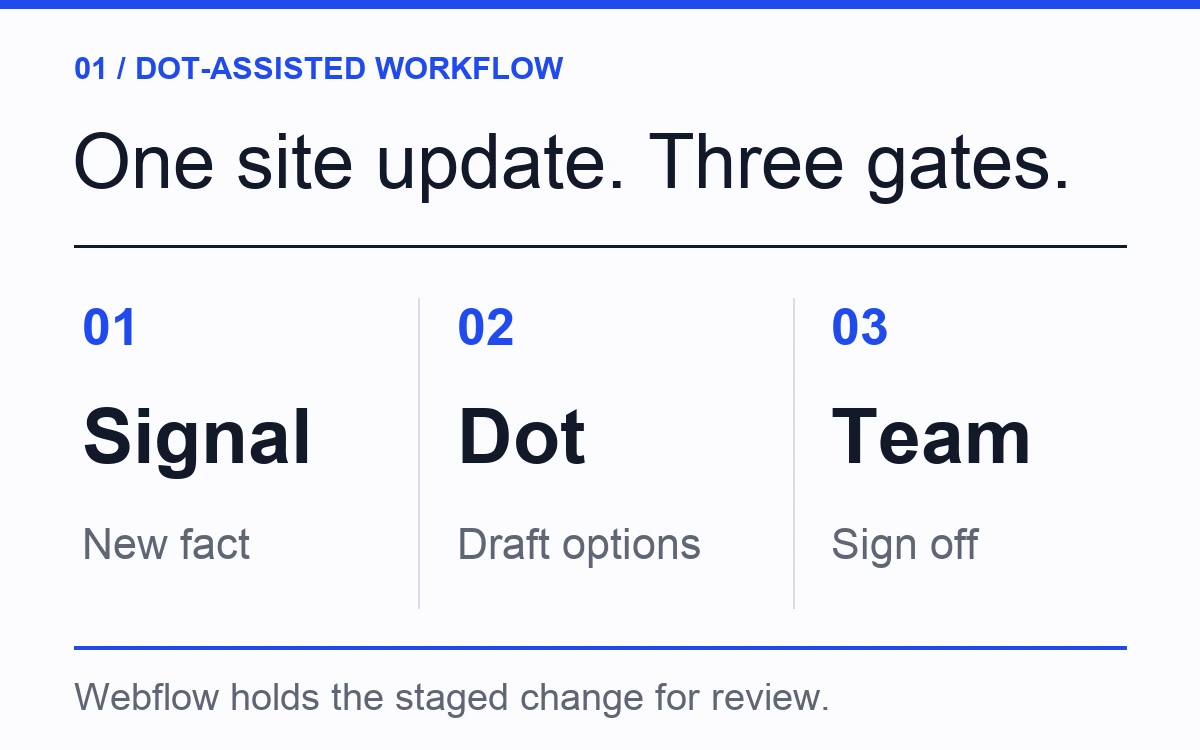
Figure 1. A proposed operating workflow, not a confirmed native Dot–Webflow feature or a measured outcome.
- Set the source of truth. Give the Dot the approved positioning note, the page URL and the intended buyer. Ask it to separate confirmed product facts from suggestions.
- Limit the output. Request a change log with the current wording, proposed wording, reason and source for each change. Ask for a separate list of decisions it cannot make.
- Review the draft. Product marketing checks claims and priorities; a designer checks hierarchy, spacing and responsive behaviour. Use Webflow’s connected tools in ChatGPT or Codex only for the actions your workspace supports.
- Stage and preview. For CMS items, hold changes in a staged draft. For static page or design changes, use Webflow’s page preview or staging workflow. Inspect the full page on desktop and mobile, including navigation, forms and related content.
- Approve publication and observe. A named site owner signs off, publishes and checks the live page. Afterwards, look at the useful measures for that page: qualified enquiries, sales feedback, search impressions or task completion. Do not infer impact from a cleaner draft alone.
An initial brief to the Dot could be this specific: “Review this product page against our approved positioning note. List each outdated claim, the source that contradicts it, proposed replacement copy and any decision a person must make. Do not edit Webflow or publish anything.” The output is reviewable before site access enters the picture.
The point is to discover which part of the process actually slowed the team down. If the bottleneck was unclear positioning, a faster editing agent will simply help you publish an unclear message faster. If the bottleneck was keeping approved changes aligned across ten assets, a Dot may save real coordination work.
What Dots will not decide for your website
For a launch change, the Dot can list affected pages and draft copy; Webflow holds a preview or CMS draft; a person approves product claims and the final page. For a CMS article, the Dot can prepare an outline, links and metadata; the item stays in draft until an editor checks its expertise and approves publication. For a site quality task, the Dot can prepare an audit brief and issue list; a person sets priorities and checks the previewed fixes. For buyer questions, the Dot can group themes and suggest page changes; a person verifies the evidence and decides where the answer belongs.
A useful agent can find inconsistencies and prepare options. It cannot know that a customer quote is cleared for public use unless your process records that fact. It cannot determine which visual direction earns trust with an enterprise buyer by following a checklist. And it should not quietly turn an internal roadmap note into a public promise.
For web design, the hard decisions remain human: which audience a page serves, what proof is credible, where a buyer needs depth and where they need brevity. For Webflow development, the build still needs a coherent component system, content model and release process. An agent works better inside that structure than around it.
Set app permissions to the smallest scope that supports the pilot. Decide who may approve external changes, what content is confidential and how you will inspect the Dot’s activity. OpenAI provides activity visibility and Custom Rules; your team still needs a named owner for the site. The useful standard is simple: an agent can prepare and check, while publication and consequential claims receive explicit review.
Frequently asked questions
What are OpenAI Dots?
Dots are OpenAI’s always-on agents, introduced on 29 September 2026. They have a cloud computer, can use connected apps, carry context across tasks and bring completed work or questions back to you. OpenAI is rolling them out gradually to eligible plans and markets.
Can a Dot edit or publish a Webflow site?
OpenAI has not published a Dot-specific Webflow example. Webflow has documented site access through ChatGPT and Codex, including CMS management. Whether your Dot can act directly in Webflow depends on the integrations and permissions available in your workspace. Treat direct editing as a capability to verify, and keep publishing behind your own review process.
Is a Dot the same as ChatGPT or Codex?
No. ChatGPT is where you can talk with your Dot; Codex handles coding and related work. The Dot is designed to retain your context and keep working across tasks over time. OpenAI says you can ask it to start or manage tasks in Codex, with those tasks using the usual Codex limits.
Can Dots design a complete Webflow website?
They may help with research, copy, planning, audits and coordination, and Webflow’s ChatGPT/Codex tools can assist with site work. A complete B2B SaaS website still needs positioning, design decisions, implementation and testing. The output quality depends heavily on the brief and the site system it enters.
Should a small SaaS team use Dots now?
If your team has access, begin with a narrow, repeatable task whose output is easy to review. A content inventory or launch consistency check is a better first test than autonomous publication. Measure time saved, errors caught and review effort before expanding the workflow.
Are Dots available to teams in the UK or Europe?
OpenAI’s launch-day setup guide says Pro access excludes the UK, Switzerland and the European Economic Area for now. Business Premium is available in supported ChatGPT regions; Enterprise workspaces need an admin to enable the beta. Rollout is gradual, so check the current guide and your own account before planning a pilot.
The useful question for your next site update
Dots may change how marketing work gets prepared and coordinated. The website still has to make your product clear, credible and easy to evaluate. That is the test to apply to every agent-assisted change: does the page better answer a buyer’s question, with evidence you can stand behind?
We build Webflow sites for B2B SaaS teams that need to move quickly without losing that discipline. If your site is becoming the bottleneck, talk to Quarter Digital and we can look at the structure behind it.